
Dunkin Donuts Coffee Calorie Calculator
Dunkin' is known for its wide variety of coffee drinks—from simple black coffee to indulgent frozen beverages topped with whipped cream. While coffee itself can be low in calories, add-ons like cream, sugar, milk, and flavor shots can significantly increase your total intake.
Our Dunkin Donuts Coffee Calorie Calculator helps you instantly determine:
- Coffee calories by type and size
- Add-on calories
- Quantity-based totals
- Overall calorie count
- Percentage of your daily calorie goal
Whether you're tracking calories for weight loss, maintenance, or general awareness, this tool makes it quick and simple.
Why Track Coffee Calories?
Many people assume coffee has almost no calories. While black coffee is very low-calorie, specialty drinks can range from 150 to 450+ calories per serving.
For example:
- Small Black Coffee: 10 calories
- Medium Latte: 170 calories
- Medium Frozen Coffee: 350 calories
Now imagine adding whipped cream, flavor shots, or multiple servings—the calories add up fast.
This calculator helps you see the full picture before you order.
Coffee Types Included in the Calculator
Below are the available coffee options in the tool:
☕ Black Coffee


4
- Small: 10 cal
- Medium: 15 cal
- Large: 20 cal
Perfect for low-calorie drinkers.
🥛 Latte


4
- Small: 120 cal
- Medium: 170 cal
- Large: 240 cal
Milk-based and more calorie-dense than black coffee.
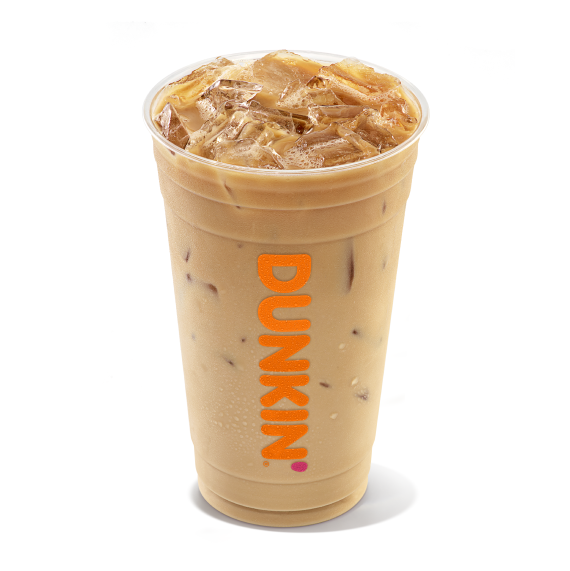
🧊 Iced Coffee with Cream & Sugar


4
- Small: 150 cal
- Medium: 230 cal
- Large: 350 cal
Cream and sugar significantly increase calories.
❄ Frozen Coffee

4
- Small: 240 cal
- Medium: 350 cal
- Large: 450 cal
One of the highest-calorie coffee choices.
🥤 Cappuccino
- Small: 170 cal
- Medium: 250 cal
- Large: 340 cal
🍫 Mocha Latte
- Small: 180 cal
- Medium: 270 cal
- Large: 360 cal
🍮 Caramel Latte
- Small: 200 cal
- Medium: 290 cal
- Large: 400 cal
☕ Espresso Shots
- 1 Shot: 5 cal
- 2 Shots: 10 cal
- 3 Shots: 15 cal
Great for low-calorie caffeine boosts.
Available Add-Ons
The calculator also includes optional extras:
- Sugar (35 cal)
- Cream (50 cal)
- Whole Milk (60 cal)
- Skim Milk (20 cal)
- Whipped Cream (100 cal)
- Flavor Shot (50 cal)
Add-ons can dramatically change the calorie count, so tracking them is essential.
How to Use the Dunkin Coffee Calorie Calculator
Using the tool takes less than a minute:
Step 1: Select Coffee Type
Choose your preferred drink from the dropdown menu.
Step 2: Choose Size
Select Small, Medium, or Large.
Step 3: Enter Quantity
If you're ordering more than one drink, enter the number of servings.
Step 4: Select Add-Ons (Optional)
Choose any extras like sugar or whipped cream.
Step 5: Enter Daily Calorie Goal
The default is 2000 calories, but you can customize it.
Step 6: Click “Calculate”
The tool instantly displays:
- Coffee Calories
- Add-on Calories
- Total Calories
- Percentage of Daily Goal
Example Calculation
Let’s say you order:
- Medium Caramel Latte (290 cal)
- Add Whipped Cream (100 cal)
- Quantity: 1
- Daily Goal: 2000 cal
Calculation:
Coffee Calories: 290
Add-on Calories: 100
Total Calories: 390
Percentage of Daily Goal:
390 ÷ 2000 × 100 = 19.5%
That means one drink accounts for nearly 20% of your daily calorie intake.
Why Percentage of Daily Goal Matters
Understanding the percentage helps you:
- Plan your remaining meals
- Avoid exceeding calorie limits
- Compare drink options
- Make smarter substitutions
For example, switching from a large frozen coffee (450 cal) to a large black coffee (20 cal) can save 430 calories instantly.
Who Should Use This Calculator?
This tool is ideal for:
- People on calorie-restricted diets
- Fitness enthusiasts
- Individuals tracking macros
- Anyone managing weight
- Daily coffee drinkers
If you regularly order coffee, this calculator can significantly improve calorie awareness.
Benefits of the Dunkin Coffee Calorie Calculator
- Calculates by size automatically
- Includes quantity multiplier
- Adds optional extras
- Shows daily percentage instantly
- Beginner-friendly interface
- Free and mobile-responsive
No manual math required—just select and calculate.
Tips for Lower-Calorie Coffee Choices
If you want to reduce calories:
- Choose black coffee or espresso
- Avoid whipped cream
- Limit cream and sugar
- Select skim milk instead of whole milk
- Reduce size from large to medium
Small changes can reduce daily intake by hundreds of calories.
15 Frequently Asked Questions (FAQs)
1. Is black coffee low calorie?
Yes, black coffee contains very few calories.
2. Do add-ons significantly increase calories?
Yes, cream and whipped cream can add 50–100 calories easily.
3. Can I calculate multiple drinks?
Yes, simply increase the quantity field.
4. Does it include all Dunkin drinks?
It includes popular coffee options.
5. What is the default daily goal?
2000 calories, but you can change it.
6. Is this calculator accurate?
Yes, it uses listed calorie values for each size.
7. Are frozen coffees high in calories?
Yes, they are among the highest-calorie options.
8. Does it calculate percentage automatically?
Yes, it instantly shows daily intake percentage.
9. Can I reset the calculator?
Yes, use the reset button.
10. Are espresso shots low calorie?
Yes, they contain minimal calories.
11. Is this tool free?
Yes, it’s completely free.
12. Can I use it on mobile?
Yes, it works on smartphones and tablets.
13. Does it include multiple add-ons?
Currently, it calculates one selected add-on per calculation.
14. Why track coffee calories?
Because drinks can quietly contribute hundreds of calories daily.
15. Can I use this daily?
Absolutely. It’s designed for everyday tracking.
Final Thoughts
Your daily coffee habit can significantly impact your calorie intake—especially with flavored lattes, frozen drinks, and added toppings. With our Dunkin Donuts Coffee Calorie Calculator, you can instantly see how your drink fits into your daily calorie plan.
Smart choices start with awareness—and this tool makes it effortless.